Empty slots and the store: income, shooting, repair
6 min read
Build slotsArchitectureStore items
Tap + to open Architecture. Income, attack, and repair are one menu; store items are another.
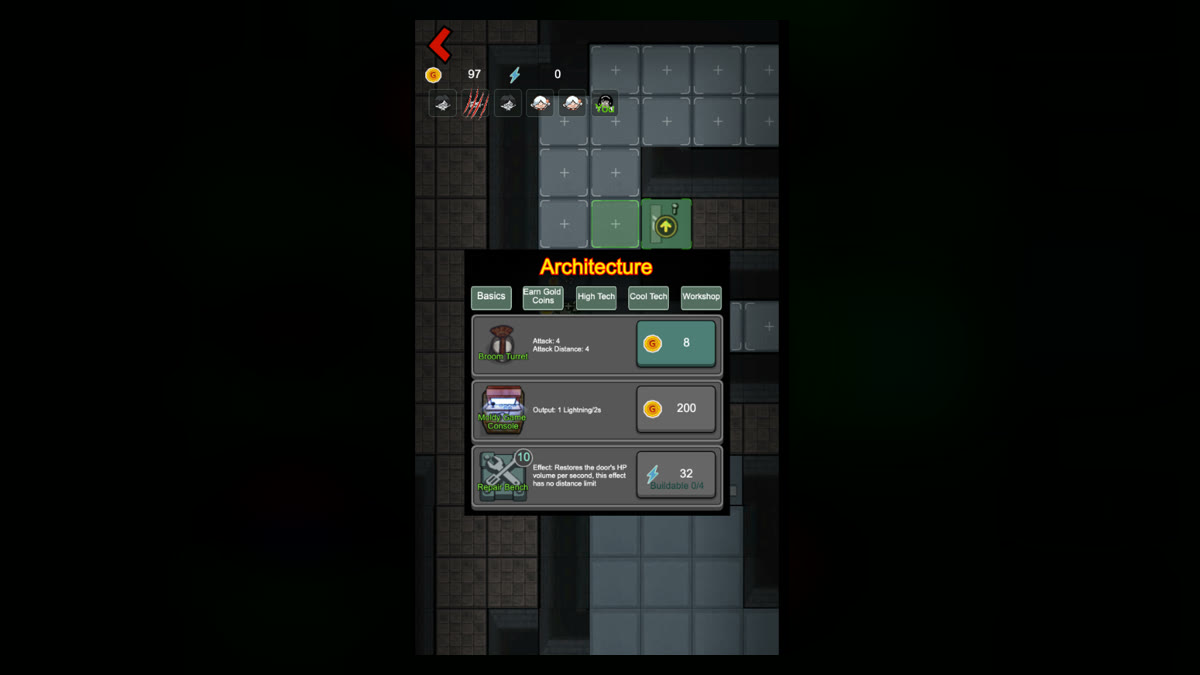
Tiles marked + open Architecture. Common groups: Basics, Earn Gold Coins, High Tech, Cool Tech, Workshop. In the screenshot, Broom Turret shoots, Moldy Game Console makes lightning, Repair Bench spends lightning to fix the door.
Door stable? Build income. Entrance not dealing damage? Add a turret. Door keeps dropping and you have lightning? Consider repair. Having empty slots doesn't mean you must fill them.
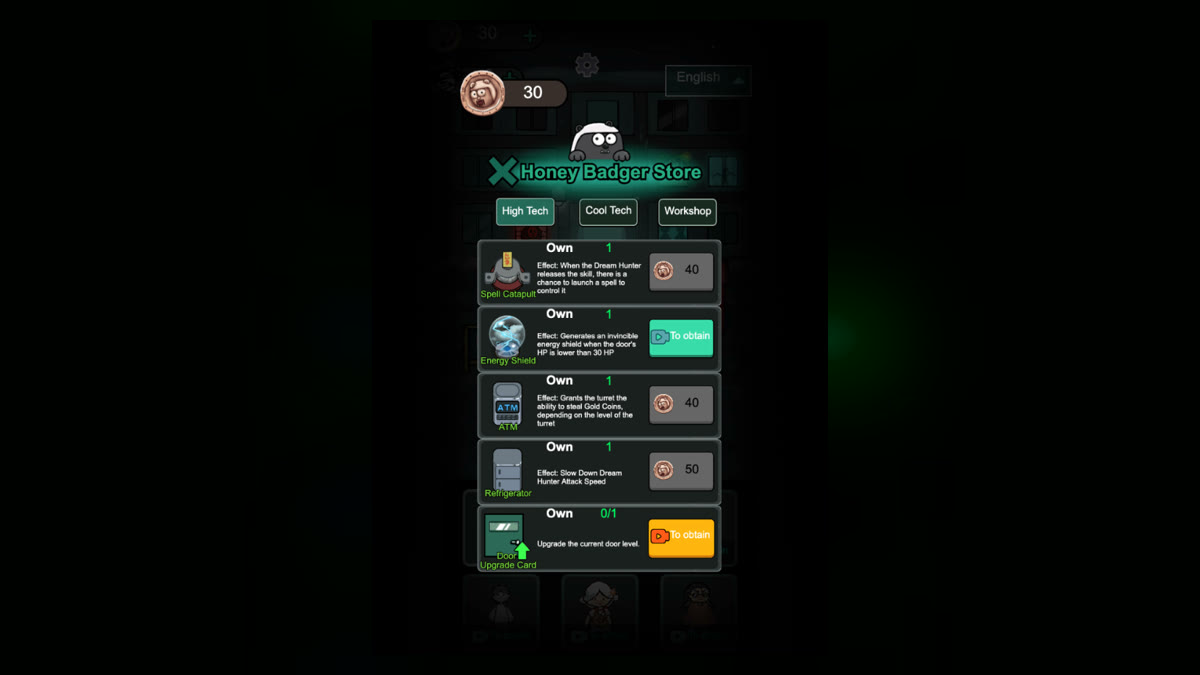
Architecture spends this run's coins or lightning to place something in the room. Honey Badger Store is items, counts, and badges or ads. Both can say High Tech — don't mix them up.
Common store items:
Buy what you're missing. Names and prices can change; follow the in-game text.
Tap a building that's already down to open Upgrade. Some panels list Attack, Attack Distance, Requirement, and a price, plus Remove to scrap it and get some resources back.
So a slot isn't “place and forget”: place, upgrade from the live panel, remove if it's wrong. Refunds and post-upgrade stats are on that panel. The video shows turrets firing at the ghost outside, but don't use a sped-up clip to time attack speed.